Admin UI
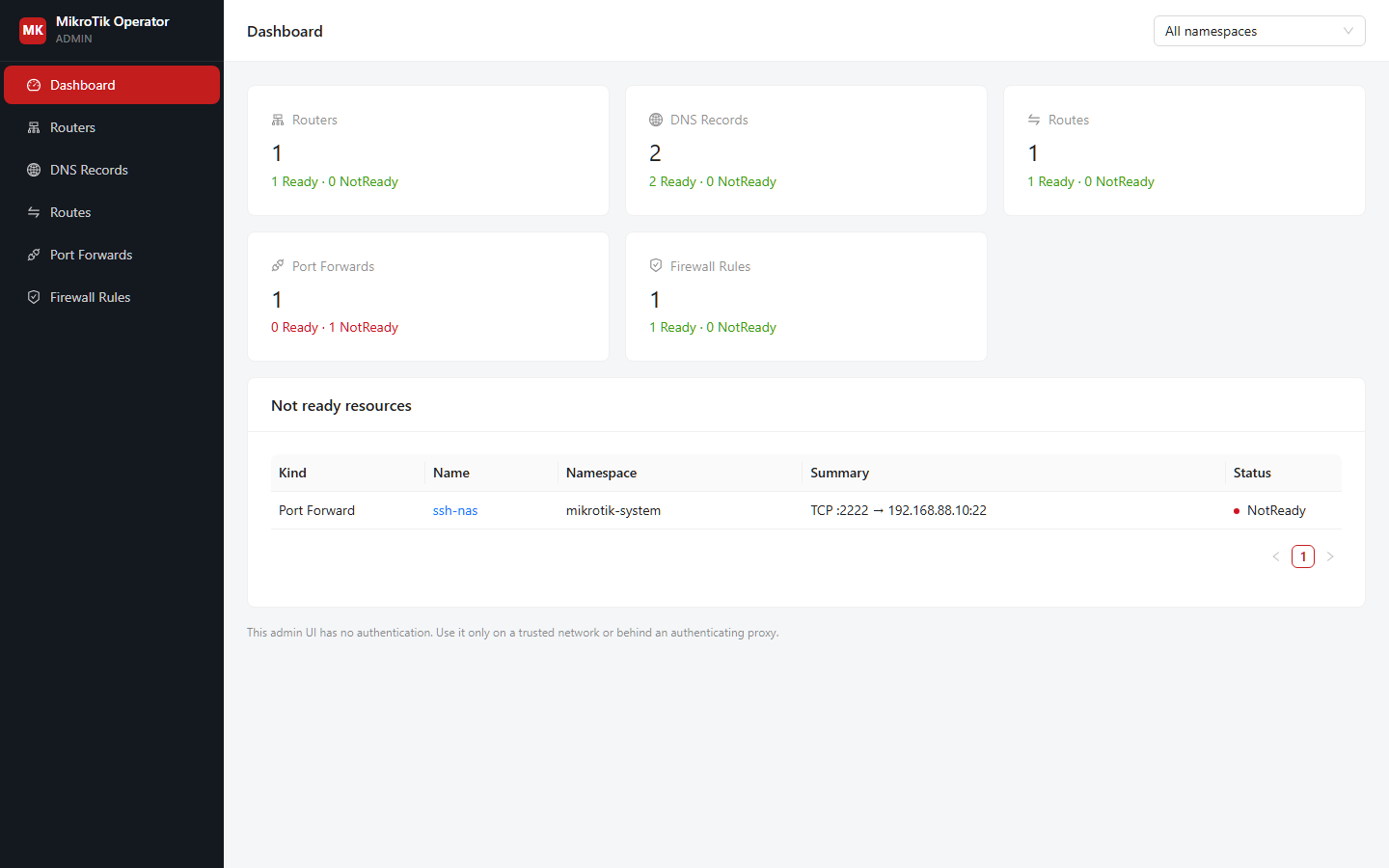
The operator chart can deploy an optional admin panel for the five MikroTik custom resources: routers, DNS records, routes, port forwards, and firewall rules. The UI lists objects across namespaces, shows status conditions, and lets you create, edit, or delete standalone resources. New resources are always created in the operator namespace; the create form does not offer a namespace picker. The header namespace filter is searchable and still lists existing objects across namespaces, including generated resources owned by Services in other namespaces.
The panel is disabled by default.
Enable the UI
On a Linux host, just test-install-ui installs K3s and the chart with the
UI enabled. For an existing cluster:
helm upgrade --install mikrotik-operator \
  oci://ghcr.io/zeljkobenovic/charts/mikrotik-operator \
  --version 0.5.0 \
  --namespace mikrotik-operator-system \
  --create-namespace \
  --set ui.enabled=true
For a source checkout, replace the OCI chart reference with
./charts/mikrotik-operator. Pin the UI image tag or digest for production
deployments the same way you pin the operator image.
Open the UI
The UI Service is ClusterIP-only. Port-forward from a trusted workstation:
kubectl -n mikrotik-operator-system port-forward \
  svc/mikrotik-operator-mikrotik-operator-ui 8080:8080
Then open http://127.0.0.1:8080. Helm prints the exact Service name after
install; it is <release>-mikrotik-operator-ui.
Do not change the Service to NodePort or LoadBalancer unless an authenticating proxy sits in front of it.
No authentication
The UI has no login, TLS termination, or per-user authorization. Anyone who can reach the Service can list namespaces, list Secret, Service, and Pod names, and create or delete MikroTik custom resources.
Use it only on a trusted network, or behind an authenticating reverse proxy.
The UI container never returns Secret data or stringData; credential
pickers show Secret names only. Service and Pod pickers are searchable
dropdowns and likewise return names only.
Lists and create
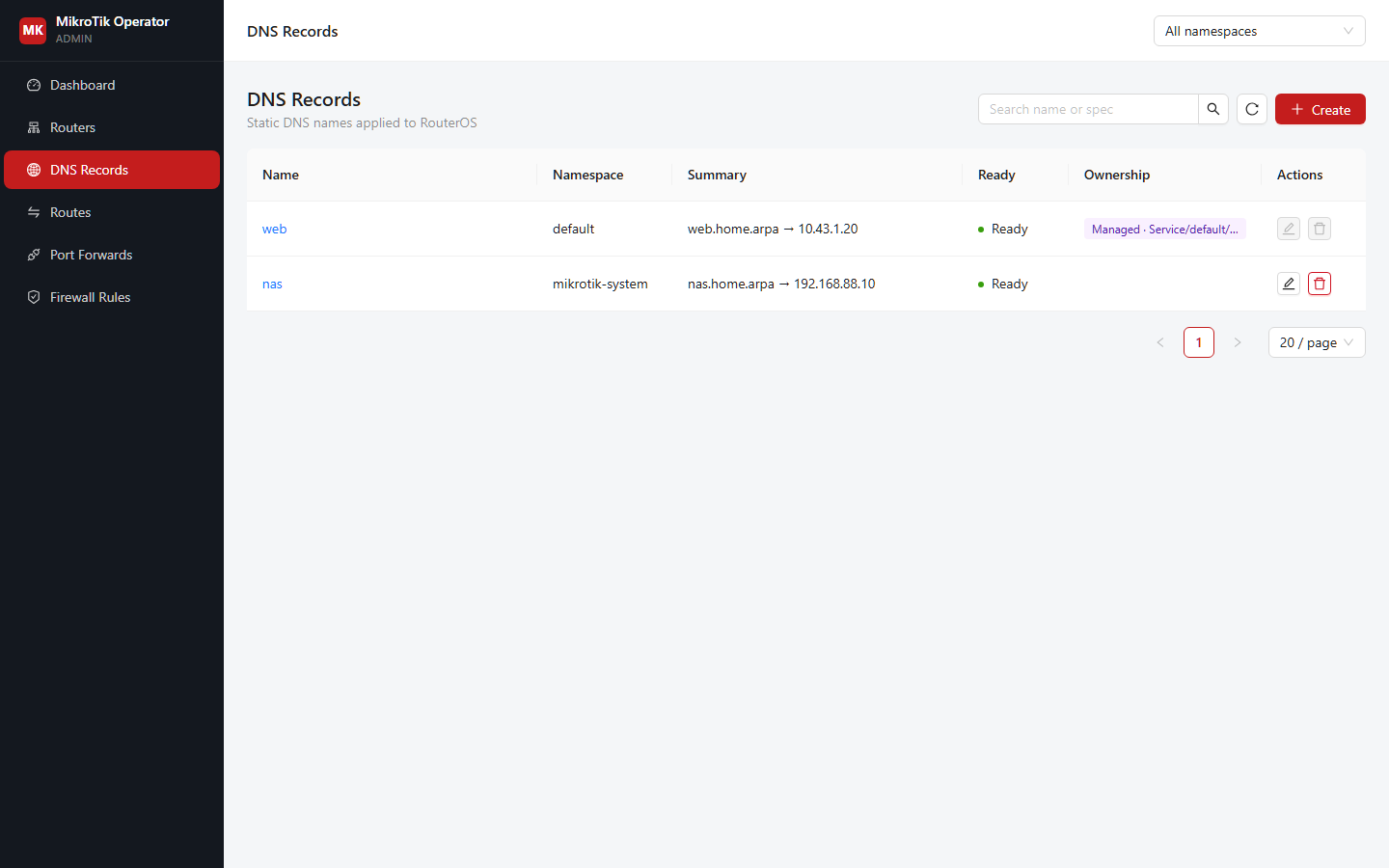
List pages include a name/spec search box and a Create button. Ownership
labels in the table are truncated with an ellipsis when they do not fit;
hover the badge to read the full Managed · Service/namespace/name text.
Port-forward creates include optional spec.destinationAddress (the IP that
initially receives the traffic). Leave it empty to match any destination;
annotated Services still use public-ip as the fallback when that field is
empty.
Owned resources are read-only
The operator creates child custom resources when a Service, Ingress, or
HTTPRoute is annotated for DNS, routing, or port forwarding. Those objects
carry a controller owner reference and stay in sync with the parent.
The UI treats owned resources as read-only:
- A “Managed by” banner names the owning
Service,Ingress, orHTTPRoute. - Edit and delete actions are disabled.
- The YAML view is read-only.
- Direct update or delete requests are rejected.
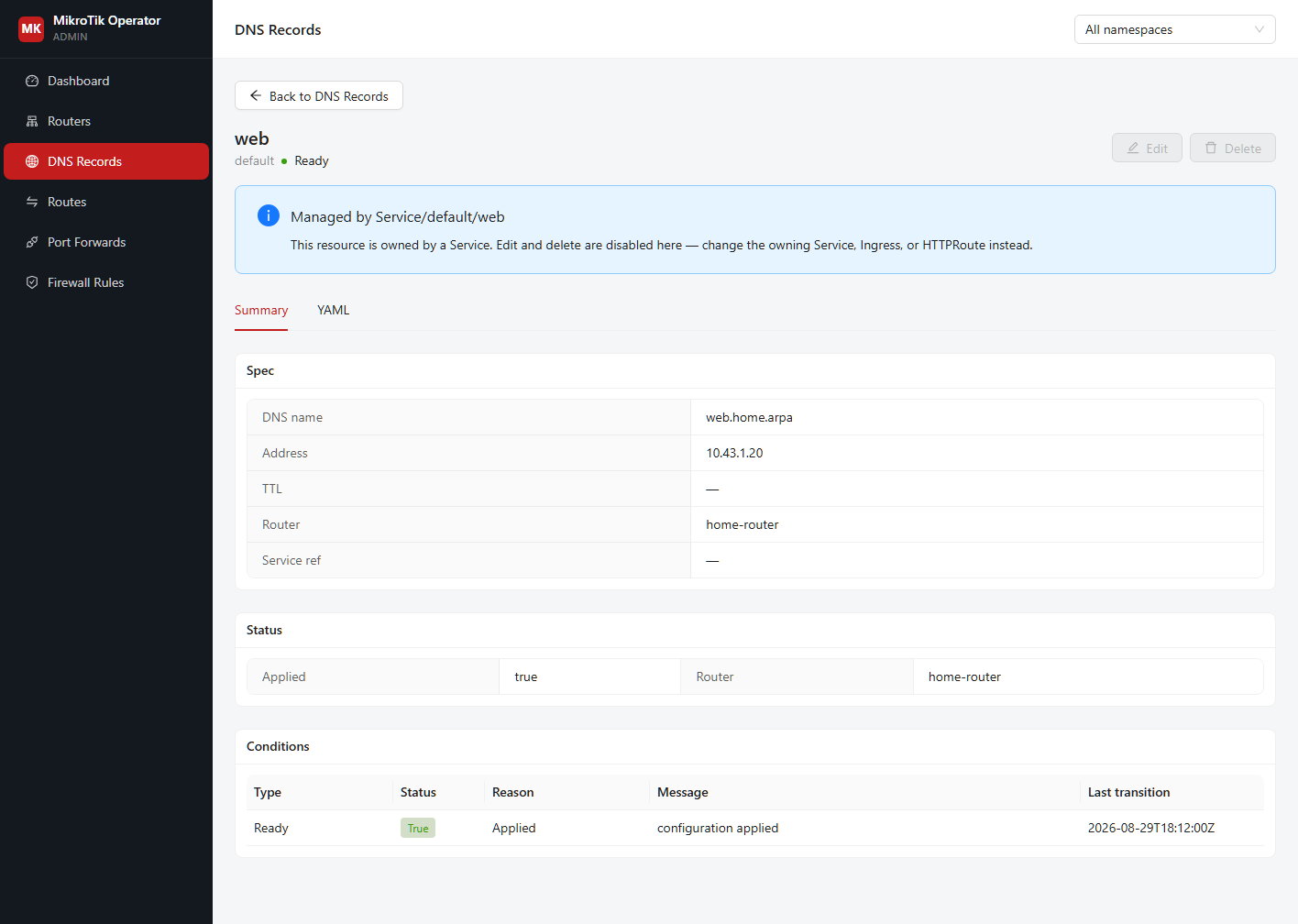
Change generated DNS records, routes, or port forwards on the owning Kubernetes resource, not in the UI. Standalone custom resources that you create yourself remain fully editable.
See Expose a Service, Ingress, or HTTPRoute for the annotation workflow.
Local UI development
From the repository root, run the Go backend against your kubeconfig, then
the Vite dev server. Vite proxies /api to http://127.0.0.1:8080.
go run ./cmd/ui-backend -bind-address=:8080
cd web/ui && npm ci && npm run dev
Open http://127.0.0.1:5173. See web/ui/README.md
for scripts and routes. just e2e-ui-test starts k3d, installs the chart
with the UI enabled, and exercises create/update/delete over HTTP. It does
not start RouterOS.
The backend allowlists five kinds (mikrotikrouters, mikrotikdnsrecords,
mikrotikroutes, mikrotikportforwards, mikrotikfirewallrules). Secret,
Service, and Pod list endpoints return names only. Update and delete of owned
objects return HTTP 409 with a managedBy body.